What's on This Page
- Traditional Reconciliation Pain
- How AI Matching Works
- Confidence Scoring
- Exception Handling
- Multi-Bank Support
- Time Savings Metrics
- Getting Started
- Frequently Asked Questions
Traditional Reconciliation Pain
Bank reconciliation is one of the most time-consuming tasks in finance departments. Every month, accounting teams spend hours — sometimes days — matching bank transactions to their accounting records.
The Monthly Struggle
- Manual Matching: Line-by-line comparison of bank statements to ledger entries
- Format Differences: Bank descriptions rarely match your transaction references
- Timing Differences: Outstanding checks and deposits in transit
- Multiple Accounts: Each bank account requires separate reconciliation
- Multi-Currency: Foreign currency accounts add complexity
- Volume Challenge: Hundreds or thousands of transactions to review
The Real Cost
Manual reconciliation impacts businesses beyond just time:
- Finance staff spend 30-40% of closing time on reconciliation
- Errors go undetected due to rushed reviews
- Cash position visibility delayed
- Fraud detection delayed
- Staff frustration and turnover
Why Traditional Automation Falls Short
Simple rule-based matching requires exact matches on amount, date, and reference — but reality is messier:
- Bank descriptions are truncated or formatted differently
- Batch payments appear as single bank entries
- Fees and charges are deducted without notice
- Exchange rate differences cause small variances
DNA ERP's AI reconciliation was built to handle real-world complexity.
How AI Matching Works
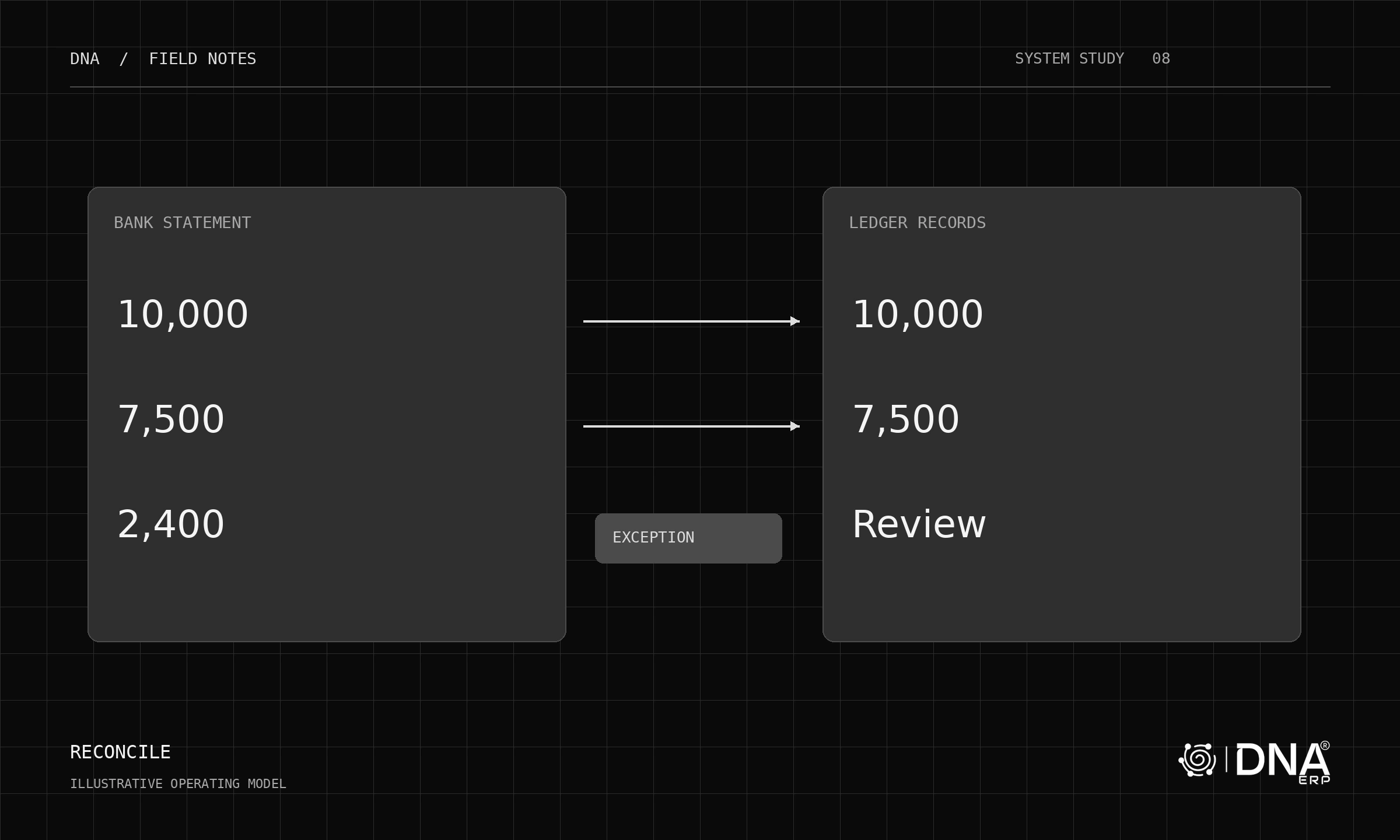
DNA ERP uses machine learning to match bank transactions to accounting entries with human-like judgment.
Multi-Dimensional Analysis
The AI considers multiple factors simultaneously:
- Amount: Exact match, within tolerance, or part of batch
- Date: Transaction date, clearing date, and reasonable timing windows
- Reference: Invoice numbers, check numbers, and payment references
- Counterparty: Customer or vendor name patterns in bank description
- Historical Patterns: How similar transactions matched previously
- Transaction Type: Payment, receipt, transfer, fee patterns
Learning from Corrections
The AI improves over time:
- When you correct a match, the system learns the pattern
- Bank-specific description formats are recognized
- Recurring transaction patterns are identified
- Company-specific matching rules emerge automatically
Batch Recognition
Sophisticated handling of batch transactions:
- Single bank entry matched to multiple invoices
- Batch payments broken down by component
- Partial payments recognized and allocated
Confidence Scoring
Not all matches are equal. DNA ERP provides confidence scores so you know where to focus attention.
Score Levels
- High Confidence (90-100%): Match is almost certainly correct — auto-approve if enabled
- Medium Confidence (70-89%): Likely correct but worth a quick review
- Low Confidence (50-69%): Possible match needing verification
- Unmatched (below 50%): No confident match found — requires manual review
Customizable Thresholds
Configure your comfort level:
- Set auto-approval threshold based on your risk tolerance
- Different thresholds for different transaction types
- Higher scrutiny for large amounts
- Stricter matching for specific bank accounts
Audit Trail
Complete transparency:
- Every match records the confidence score
- Manual overrides are logged with user and timestamp
- Original bank data preserved
- Full history available for audit
Exception Handling
When matches are not found, DNA ERP provides tools to resolve exceptions efficiently.
Exception Categories
- Unmatched Bank Items: Bank transactions without accounting entries (possibly unrecorded income/expense)
- Unmatched Book Items: Accounting entries not yet cleared at bank (outstanding checks/deposits)
- Partial Matches: Amount differences requiring investigation
- Duplicate Flags: Potential duplicate transactions detected
Resolution Workflows
Handle exceptions without leaving the reconciliation screen:
- Create missing journal entries directly
- Record bank fees and charges
- Process returned items
- Split matched transactions
- Flag for follow-up investigation
Recurring Exception Handling
For predictable exceptions:
- Bank service charges automatically created
- Interest income/expense recognized
- Standard adjustments applied
Multi-Bank Support
Businesses with multiple bank accounts benefit from unified reconciliation.
Bank Statement Import
Flexible import options:
- Direct Feed: Automatic import from supported banks
- File Import: CSV, OFX, MT940, BAI2 formats
- Manual Entry: Key transactions when needed
- API Integration: Custom feeds from banking portals
Multi-Currency Handling
For foreign currency accounts:
- Automatic exchange rate lookup
- Rate variance tolerance settings
- Gain/loss calculation
- Local currency conversion for reporting
Consolidated View
See all accounts at once:
- Overall reconciliation status dashboard
- Account-by-account summary
- Consolidated cash position
- Aging of unreconciled items
Time Savings Metrics
DNA ERP customers report significant improvements after implementing AI reconciliation:
Average Results
- Matching Rate: 85-95% of transactions matched automatically
- Time Reduction: 70-80% reduction in reconciliation time
- Error Reduction: 90% fewer reconciliation errors
- Faster Close: 2-3 days faster month-end close
By Transaction Volume
100 transactions/month: From 4 hours to 30 minutes
500 transactions/month: From 2 days to 2 hours
2000+ transactions/month: From 1 week to 1 day
ROI Calculation
Calculate your potential savings:
- Current hours spent on reconciliation x hourly cost
- Multiply by 70% for expected reduction
- Add value of faster close and error reduction
- Compare to DNA ERP subscription cost
Most businesses see positive ROI within the first month.
Getting Started
AI reconciliation is included with DNA ERP Banking module. Here's how to get started:
Setup Steps
- Configure Bank Accounts: Set up your bank accounts in DNA ERP
- Import History: Load 2-3 months of historical statements to train the AI
- Set Preferences: Configure confidence thresholds and matching rules
- Run First Reconciliation: Process current period with AI assistance
- Review and Train: Correct any mismatches to improve future accuracy
Best Practices
- Start with your highest-volume account for maximum impact
- Review AI suggestions carefully in the first few cycles
- Provide feedback on corrections to train the system
- Gradually increase auto-approval thresholds as confidence grows
Ongoing Optimization
- AI accuracy improves each month
- Review matching patterns quarterly
- Update rules for new transaction types
- Monitor exception trends for process improvements
Frequently Asked Questions
How accurate is the AI matching?
Initial accuracy is typically 80-85%. After 2-3 months of learning from your corrections, accuracy improves to 90-95% for most businesses. The system continues to improve with use.
What if the AI makes a wrong match?
Wrong matches are easily corrected with one click. The system learns from corrections, reducing similar mistakes in the future. All matches are reviewable before finalization.
Does it support all banks?
DNA ERP supports standard file formats (CSV, OFX, MT940, BAI2) accepted by virtually all banks. Direct feeds are available for major banks in GCC and other regions. Custom formats can be configured.
Can we still do manual reconciliation?
Absolutely. AI assistance is optional. You can manually match any transaction, and the system supports traditional reconciliation workflows if preferred.
Is our bank data secure?
Bank data is encrypted and stored with the same security as all financial data in DNA ERP. No data is shared externally. The AI runs within your DNA ERP instance.
What about multi-currency accounts?
Fully supported. The system handles currency conversion, exchange rate differences, and gain/loss calculations automatically.
Related Articles
- DNA Intelligence: AI-Powered Analytics
- ZATCA E-Invoicing Compliance
- Multi-Company Operations Across GCC
Last updated: May 2025 — AI bank reconciliation is included with DNA ERP Banking module at no additional cost.
.webp)