A purchase order for routine supplies and one that consumes a large share of a project budget should not automatically follow the same approval route. Nor should a transaction move forward simply because the usual approver is unavailable.
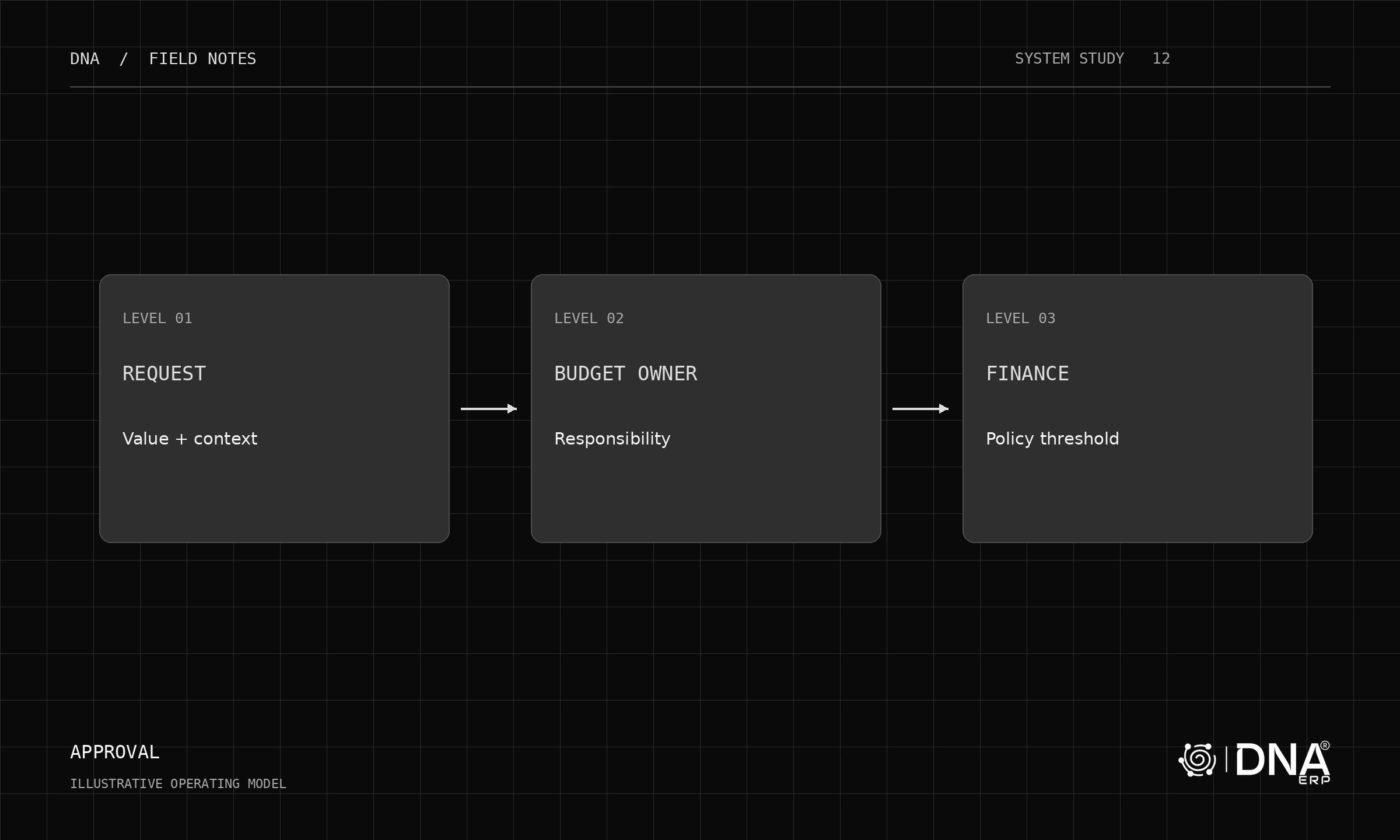
DNA’s dynamic approval configuration supports rule-based routing and multiple approval levels. The design work begins before the rules are entered: decide what risk each approval is meant to control and who is accountable for that decision.
Separate the rule from the person
Define a route using the transaction type, value and relevant organizational context, such as department or cost centre. Then assign the people who are responsible. This makes the policy easier to inspect when roles change.
Use a written decision table. In an illustrative policy, routine purchases go to a budget owner, larger purchases add finance review, and exceptional commitments require an additional level. The amounts are company choices, not universal limits.
Make the boundary cases explicit
Test exactly at a threshold, one unit below it and one unit above it. Check whether the policy uses gross or net value and which currency is being evaluated. Two teams can implement the same sentence differently unless those details are settled.
Also test a missing cost centre, a requester who is also an approver, and an approver who lacks access to the underlying company. An approval task is not useful if its recipient cannot inspect the supporting transaction.
Changes after approval deserve attention
Suppose a supplier quotation is approved and the purchase order quantity later increases. Ask which changes invalidate approval, which trigger a new route and how the previous decision remains visible. Do not treat an approval badge as evidence that every later version was reviewed.
Agree the treatment of rejected, withdrawn and amended documents. Then test those states in the same demonstration as the normal happy path.
See the policy working
Explore System Setup for the approval configuration, Purchase & Procurement for the transaction flow and Budget & Cost Centers for the financial context.
Good approval design is visible in the exception: the right person receives enough context, the decision is recorded, and the next action is clear.