What's on This Page
- The Customization Dilemma
- How Custom Fields Work
- Field Types and Validation
- Cross-Module Integration
- Document Output
- Real-World Examples
- Setup Guide
- Frequently Asked Questions
The Customization Dilemma
Every business has unique requirements that standard ERP software does not address out of the box. The challenge is meeting these needs without creating a maintenance nightmare.
Traditional Customization Problems
- High Cost: Developer time for custom fields is expensive
- Upgrade Risk: Custom code breaks during system upgrades
- Vendor Dependency: Need vendor involvement for every change
- Slow Delivery: Weeks or months to implement simple fields
- Documentation Gap: Custom changes poorly documented
- Integration Challenges: Custom fields not available in reports or exports
The Workaround Trap
Without proper custom fields, users resort to workarounds:
- Storing data in description or notes fields
- Maintaining separate spreadsheets
- Repurposing existing fields for different data
- Manual data entry in multiple places
These workarounds create data quality issues and operational inefficiencies.
The DNA ERP Approach
DNA ERP provides a true no-code custom field framework:
- Add fields through configuration, not coding
- Fields integrate automatically across the system
- Upgrades preserve custom field definitions
- Users can create fields without IT involvement
How Custom Fields Work
DNA ERP's custom field engine is built into the core platform, ensuring consistent behavior across all modules.
Field Definition
Creating a custom field involves simple configuration:
- Name the Field: Internal name and display label
- Select Type: Choose from available field types
- Set Properties: Required/optional, default values, validation
- Choose Context: Which forms and modules display the field
- Configure Display: Field placement and grouping
Automatic Integration
Once defined, custom fields automatically:
- Appear on relevant transaction screens
- Include in data exports
- Available in report filters and columns
- Print on configured documents
- Accessible via API
- Searchable in global search
Version Control
Field definitions are version-controlled:
- Changes logged with user and timestamp
- Rollback capability for recent changes
- Impact analysis before modifications
Field Types and Validation
DNA ERP supports diverse field types to capture any business data.
Basic Field Types
- Text: Single-line text with length limits
- Text Area: Multi-line text for longer content
- Number: Integers or decimals with precision control
- Currency: Monetary values with currency handling
- Date: Date values with picker interface
- DateTime: Combined date and time
- Boolean: Yes/No checkbox
Selection Fields
- Dropdown: Single selection from defined list
- Multi-Select: Multiple selections allowed
- Radio Buttons: Single selection with visible options
- Lookup: Select from existing master data
Advanced Fields
- File Upload: Attach documents or images
- URL: Web links with validation
- Email: Email addresses with format validation
- Phone: Phone numbers with formatting
- Calculated: Formula-based computed values
Validation Options
- Required field enforcement
- Minimum and maximum values
- Pattern matching (regex)
- Unique value constraints
- Conditional requirements
Cross-Module Integration
Custom fields in DNA ERP are truly cross-module — define once, use everywhere relevant.
Context Binding
Specify where fields appear:
- Sales: Quotations, orders, invoices, credit notes
- Purchasing: Requisitions, RFQs, POs, GRNs, supplier invoices
- Inventory: Item master, adjustments, transfers
- Finance: Journal entries, payments, receipts
- Projects: Project records, tasks, timesheets
- Customers/Vendors: Master records
Data Flow
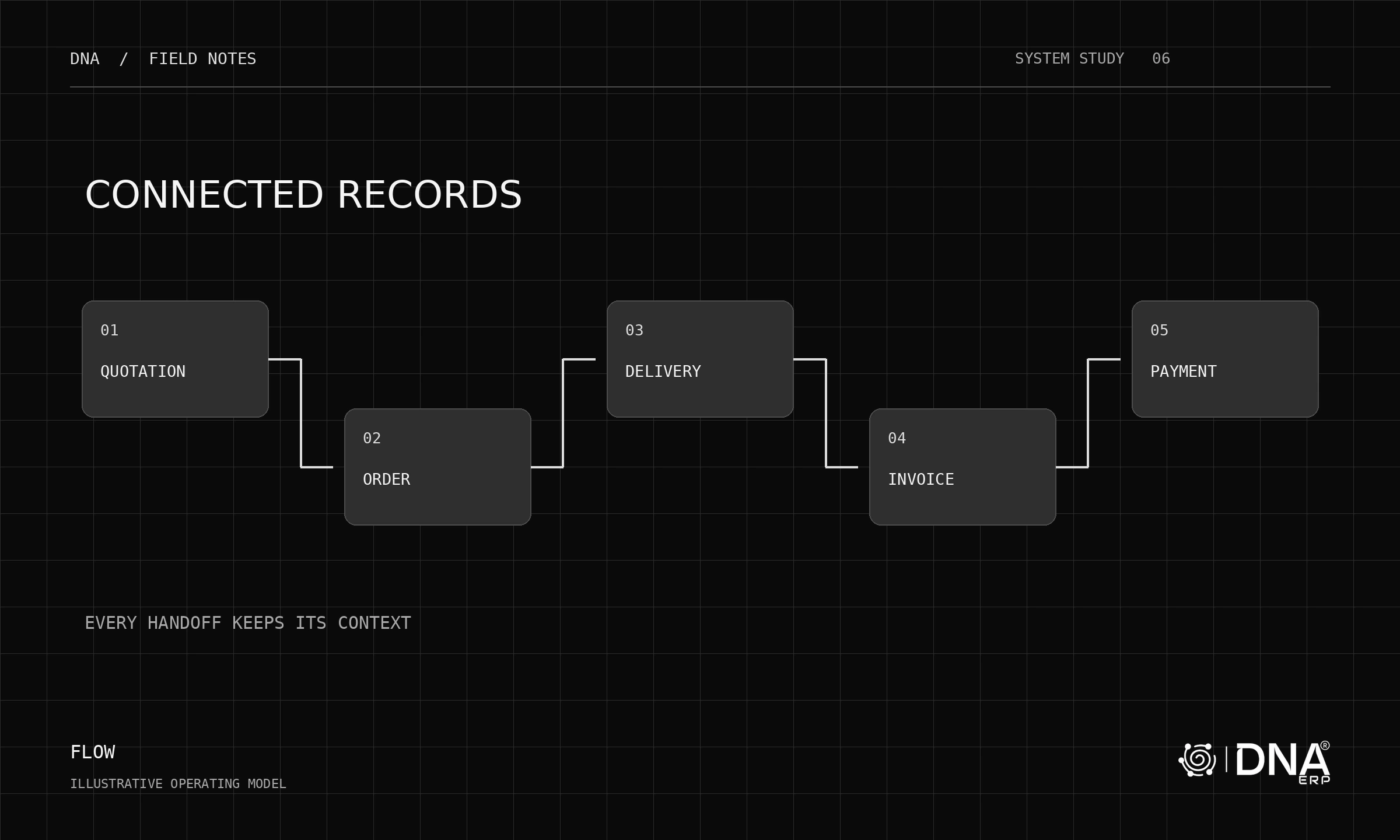
Custom field values flow through transactions:
- Field value on sales order copies to invoice
- Purchase order field appears on GRN and invoice
- Customer master fields populate on transactions
- Inheritance rules configurable per field
Reporting Integration
Custom fields are fully available in reporting:
- Filter reports by custom field values
- Group and summarize by custom fields
- Include custom fields in report columns
- Export custom field data with transactions
Document Output
Custom fields can appear on printed documents and outputs.
Document Placement
Control where fields print:
- Header area with document details
- Line item columns
- Footer summary section
- Separate custom section
Conditional Display
Show fields only when relevant:
- Display only if field has value
- Show based on document type
- Conditional on other field values
Format Control
- Label customization for documents
- Number and date formatting
- Multi-language labels
- QR code generation from field values
Real-World Examples
Here are common custom field implementations from DNA ERP customers:
Project Reference Tracking
Construction company tracks project references across all transactions:
- Custom field: Project Code (lookup to projects)
- Appears on: POs, GRNs, invoices, payments
- Enables: Full project cost tracking without dedicated project module
Regulatory Compliance
Pharmaceutical distributor tracks batch compliance:
- Custom fields: Registration Number, Expiry Alert Days, Storage Requirements
- Appears on: Item master, GRN, sales order
- Enables: Compliance reporting and automated alerts
Sales Attribution
Trading company tracks sales channels:
- Custom field: Sales Channel (dropdown: Direct, Distributor, Online, Tender)
- Appears on: Quotations, orders, invoices
- Enables: Channel profitability analysis
Equipment Maintenance
Rental company tracks equipment details:
- Custom fields: Last Service Date, Next Service Due, Meter Reading
- Appears on: Equipment master, rental contracts
- Enables: Preventive maintenance scheduling
Customer Segmentation
Service company segments customers:
- Custom fields: Industry Vertical, Company Size, Account Tier
- Appears on: Customer master, opportunities, contracts
- Enables: Targeted marketing and service levels
Setup Guide
Creating custom fields in DNA ERP takes minutes, not months.
Step 1: Access Field Builder
Navigate to Settings then Custom Fields. You will see existing custom fields and the option to create new ones.
Step 2: Create New Field
- Click Create Custom Field
- Enter field name and label
- Select field type
- Configure validation rules
- Set default value if applicable
Step 3: Assign to Forms
- Select which modules use this field
- Choose specific forms within each module
- Set field position and grouping
- Configure inheritance rules
Step 4: Configure Documents
- Select documents that should show the field
- Choose placement on document layout
- Set display conditions
- Preview document appearance
Step 5: Test and Deploy
- Create test transactions with the field
- Verify field appears correctly
- Test reports and exports
- Print sample documents
- Communicate to users
Frequently Asked Questions
Do custom fields survive upgrades?
Yes. Custom field definitions are stored separately from system code and are fully preserved during upgrades. This is a key advantage of DNA ERP's configuration-based approach versus code-based customization.
Is there a limit on custom fields?
There is no practical limit. You can create as many custom fields as your business needs. We recommend periodic review to retire unused fields and maintain system clarity.
Can users create custom fields or only administrators?
Field creation is typically restricted to administrators or power users through role-based permissions. Once created, all authorized users can view and enter data in custom fields.
How do custom fields work with the API?
Custom fields are fully accessible via API. They appear in GET responses and can be set in POST/PUT requests using the field name. API documentation automatically includes your custom field definitions.
Can custom fields trigger workflows?
Yes. Custom field values can be used as conditions in approval workflows and automation rules. For example, route for special approval if a certain custom field is flagged.
Related Articles
Last updated: May 2025 — DNA ERP's custom field framework is included with all subscriptions and requires no additional licensing.


.webp)